Redis Additional Configuration Information - Mule 4
Save a Value for a Key into a Redis Server
This use case describes how to use the connector to assign a value to a key in the Redis server.
-
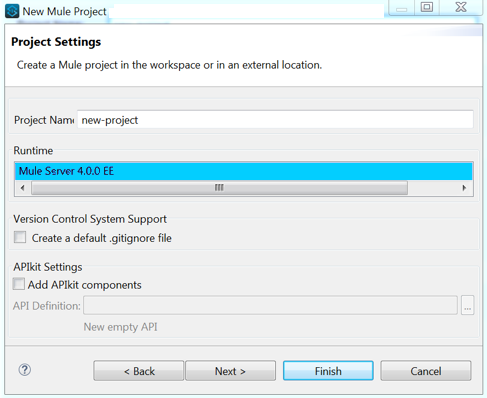
Create a new Mule Project by clicking File > New > Mule Project.
-
In the new project dialog box, provide a name for your new project. Click Finish.
-
Navigate through the project’s structure and double click
src/main/mule/project-name.xmlto open it. The steps below are all performed on this file. -
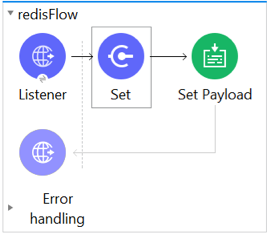
Go to the palette and search for HTTP, then drag a new HTTP Connector Listener operation to the canvas. This element is the entry point for the flow and provides the key and value to be set for that key.
-
Go to the palette and search for Redis, then drag a new Redis Set operation after the HTTP connector. This element sends data to the Redis server.
-
Double click the Redis Set operation and set its properties as follows:
-
Set Display Name to Set Value For Key Into Redis.
-
Choose from the Extension Configuration drop down
Redis__Configuration, which is the default name of a configuration, or any other configuration that you configured. -
Choose Set from the Operation drop down.
-
Set Key to
#[payload.key]. -
Set Value to
#[payload.value].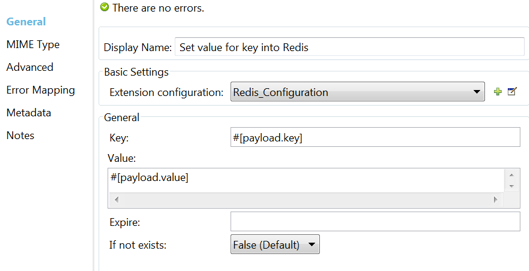
-
-
Go to the palette and search for Set Payload, then drag a new Set Payload element after the Redis Connector. This element creates the response for the incoming HTTP request.
-
Double click the flow’s top margin to open its properties, and change the name of the flow to
set-flow.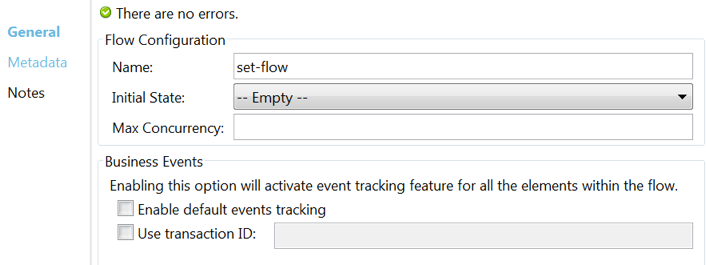
-
Double click the HTTP Connector Listener operation to open its properties.
-
Click the green plus sign beside the Connector Configuration field.
-
A pop-up appears. Leave the default configuration and click OK.
-
Set Path to
/. -
Set Display Name to
Listener.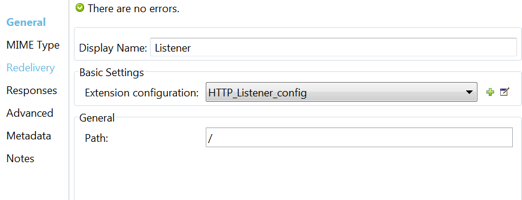
-
-
Double click Set Payload and set its properties.
-
Set Display Name to
Set Value Response. -
Set Value to
Value Successfully Set.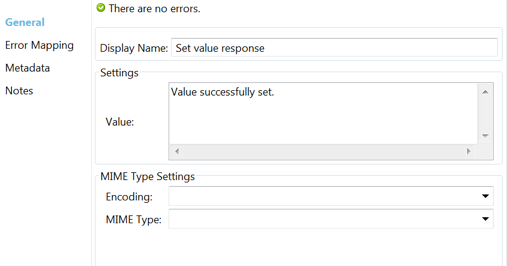
-
-
If you configured a Redis global element with placeholder values, provide values for the placeholders. Open
/src/main/resources/mule-app.propertiesand provide values for following properties:config.host,config.port, andconfig.connectionTimeout. -
Deploy the app.
-
Once the app is running, send an HTTP request to it to trigger its flow. Use the
curlcommand line utility or an HTTP client app such as Postman to send a POST request with content-typeapplication/x-www-form-urlencodedand a body inurl-encodedformat tolocalhost:8081/. The request body should contain a key and a value. For this you can use the followingcurlcommand:curl -X POST -d "key=test-key" -d "value=test-value" localhost:8081/Congratulations! You have just set a value for a key in the Redis server.